

A site is unknown to search engines until you submit it. Search bots can discover new websites as they crawl the web; however, it’s not reliable. You need to submit websites manually.
Manual submission provides these advantages:
- Speed: New content is indexed in minutes or hours rather than weeks.
- Data: Access to “Search Analytics” shows you exactly which keywords bring users to your site.
- Health: Get alerted immediately if your site is hacked or has technical “crawl errors.”
How to Submit to Google Search Console (GSC)
Google remains the dominant search engine, and GSC is your direct line of communication with it.
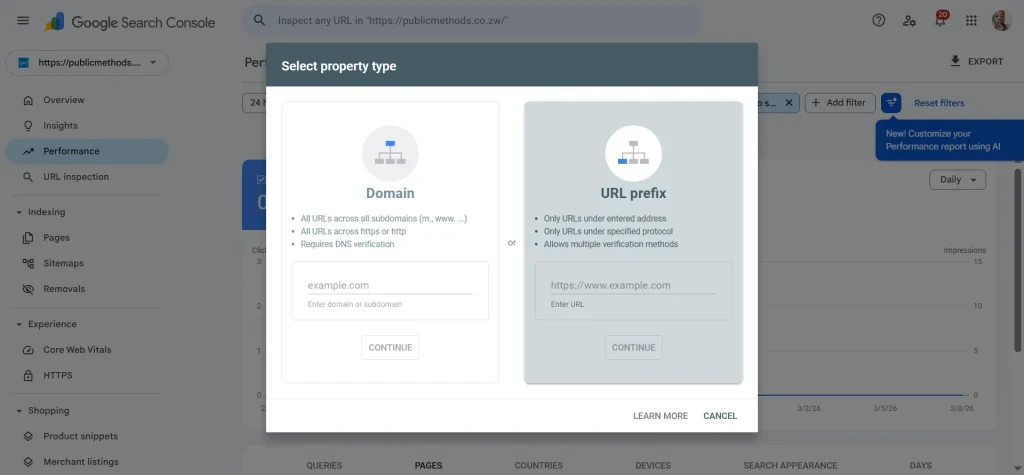
Step 1: Add Your Property
- Go to Google Search Console.
- Click “Start Now” and sign in with your Google account.
- Choose a Property Type:
- Domain: Tracks all subdomains (e.g.,
blog.yoursite.comandwww). Requires DNS verification. - URL Prefix: Tracks only one specific version (e.g.,
https://yoursite.com).
- Domain: Tracks all subdomains (e.g.,
For starters, use the URL Prefix method as it’s much easier.
Step 2: Verify Ownership
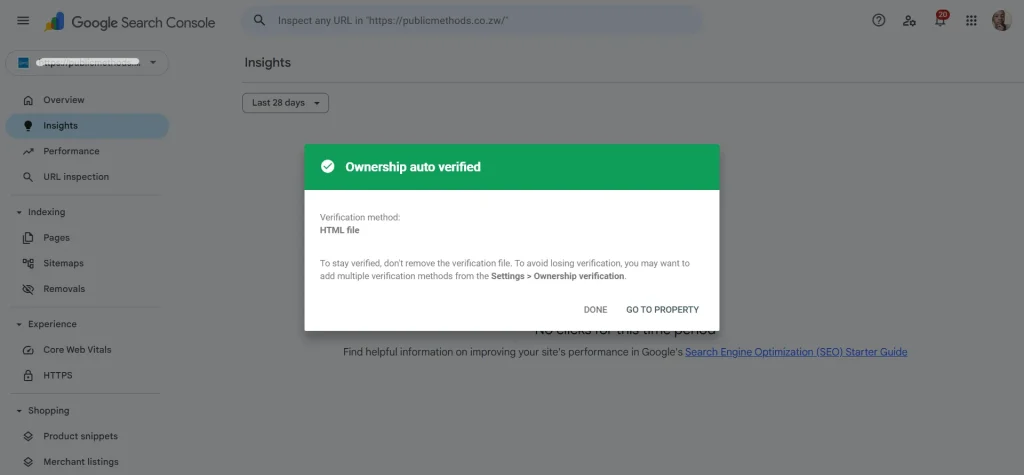
Google needs to know you actually own the site. The most common methods are:
- DNS Record: If you used the DNS method, copy the TXT record provided by Google and add it to your hosting DNS settings.
- HTML File Verification: Upload an HTML file Google gives you to your website’s root folder.
- HTML Tag: Add a meta tag to your site’s home page. If you use WordPress, you can paste this code into your header or use a plugin like Yoast SEO or Site Kit.
Step 3: Submit Your XML Sitemap
A sitemap lists all the page URLs on awebsite.
- In the left-hand menu, click Sitemaps.
- Enter your sitemap URL (usually
yoursite.com/sitemap.xml). - Click Submit.
How to Submit to Bing Webmaster Tools
Don’t ignore Bing. It powers Windows search, Copilot AI, and a significant portion of the desktop market.
Import from Google
Bing offers a seamless “Import from GSC” feature. If you’ve already set up Google Search Console, you can skip the manual verification on Bing entirely by syncing the two accounts.
Manual Method
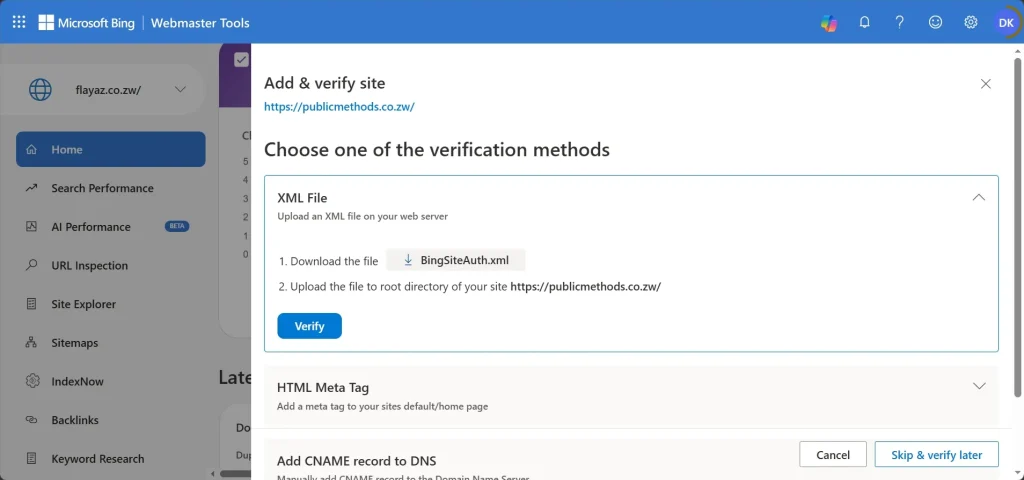
- Go to Bing Webmaster Tools.
- Add your URL manually and verify using an XML file or Meta Tag (similar to Google).
- Submit your Sitemap: Under the “Sitemaps” tab, paste your sitemap URL.
Best Practices for 2026
- Use Absolute URLs: Always use
https://in your sitemaps. - Fix 404s Promptly: Search engines penalise “broken maps.” Check your “Coverage” or “Indexing” report monthly.
- Content Quality > Quantity: In 2026, Google’s “Crawl Budget” is tighter. Don’t submit low-value pages (like “Thank You” pages or tags) to your sitemap.