
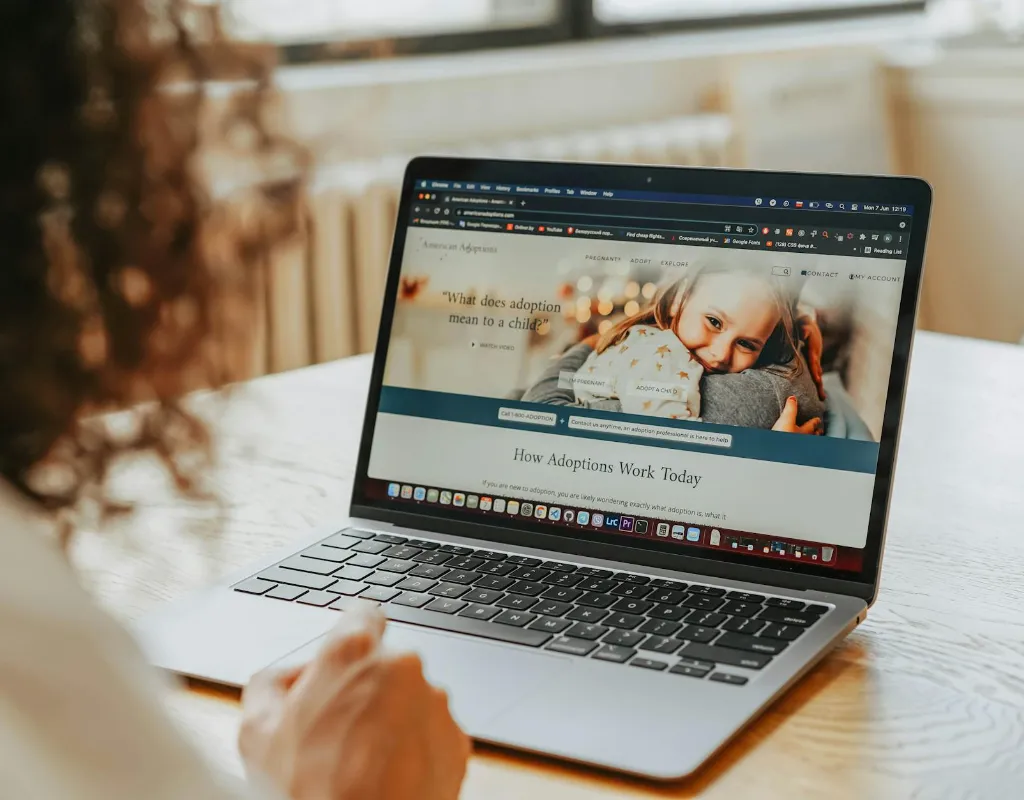
On-Page SEO focuses on optimising a website’s own content and structure. These include, but not limited to, title tags and meta descriptions, headings, URLs, internal and external links, and images
In 2026, on-page SEO has evolved from simple “keyword matching” to a sophisticated science of Search Intent and User Experience (UX). With the rise of AI-powered search engines, keyword stuffing no longer cuts it. Search bots no longer just “read” your words—they understand the context, authority, and value your page provides.
This guide breaks down the essential on-page factors you need to master to dominate the search engine results pages (SERPs).
What’s On-Page SEO
On-Page SEO focuses on a website’s content and structure. This is the part of SEO where you have more control. You can write helpful articles, craft click-worthy titles and descriptions, structure your content appropriately, link to other pages, and so forth.
1. Core Content & Search Intent
Content is the cornerstone of SEO. Most of the things you do in SEO revolve around content.
Content can be in the form of blog articles, service and product descriptions, or user-generated content.
Search engines prioritise “People-First” content. To rank, your content must satisfy the user’s specific need (Informational, Transactional, or Navigational).
- E-E-A-T: Google ranks content that shows Experience, Expertise, Authoritativeness, Trustworthiness, and more recently, Genuineness. Share personal insights and unique data that an AI cannot replicate.
- Semantic Depth: Don’t just target one keyword. Cover a topic comprehensively by including related terms (LSI keywords) and answering common follow-up questions.
- The “Direct Answer” Rule: Place the answer to the user’s primary query in the first 100 words. This makes your content eligible for “Featured Snippets” and AI-generated summaries.
- FAQs: Include Frequently Asked Questions were possible. These help you to show in the People Also Ask sections
2. Title Tags & Meta Descriptions
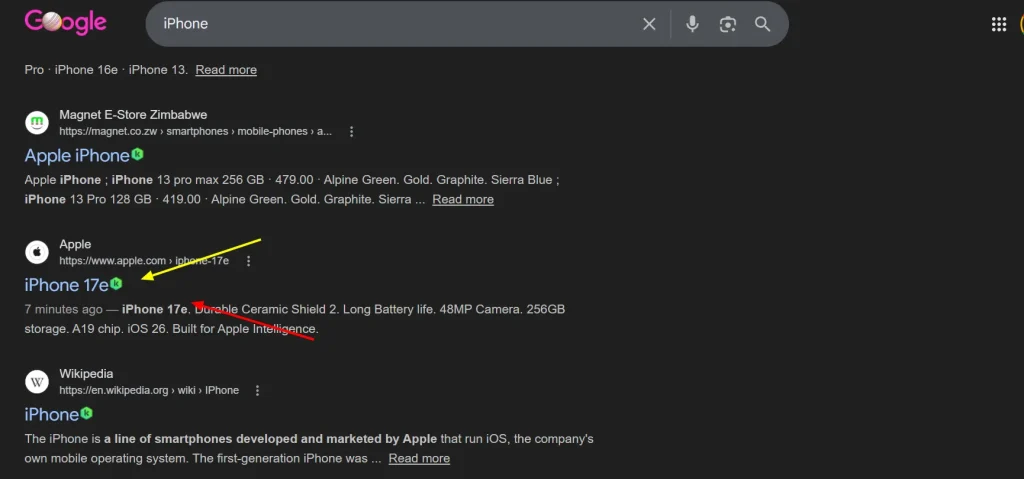
These are your “billboards” in the search results. They directly impact your Click-Through Rate (CTR).
Title tags appear as the bold blue links in the SERPs with a short description below.
- Title Tags: Keep these between 50–60 characters. Front-load your primary keyword (put it at the beginning) and add a “power word” like Proven, Easy, or 2026 Guide to entice clicks.
- Meta Descriptions: Aim for 150–160 characters. While not a direct ranking factor, a compelling description that includes a Call to Action (CTA) like “Download our free checklist” can significantly boost traffic.
3. Content Structure
Make sure your page content is structured appropriately so that readers and crawlers can scan easily.
Headers provide a roadmap for both readers and crawlers.
- Single H1: Use only one H1 tag per page, and ensure it contains your primary keyword.
- Logical Hierarchy: Use H2s for main sections and H3s for subsections. This “scannability” is a major signal for Generative Engine Optimization (GEO).
- Lists: Apply bulleted lists where possible; they help you appear in featured snippets.
- Tables: Create tables to tabulate information so that users can scan easily. Tables are useful for showing features and pros and cons side by side. They also help with appearing in featured snippets.
4. URLs & Images
- URL Structure: Keep URLs short, descriptive, and lowercase. Use hyphens to separate words (e.g.,
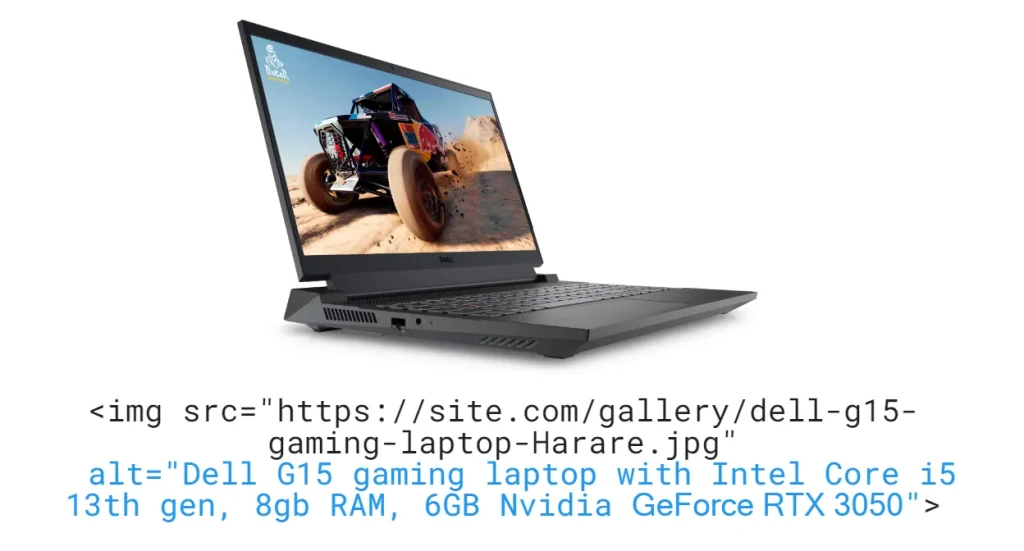
example.com/on-page-seo-guide). - Image Optimisation: * Alt Text: Describe the image clearly for accessibility and include a keyword if natural. Alt text is contained inside an <img> tag’s alt attribute. If you’re using a CMS you can write alt text using editors instead of code.
- Use modern image formats like WebP to keep file sizes under small(under 100k).
5. Internal & External Linking
Linking helps search engines discover new pages and content.

- Internal Links: Link to at least 2–5 other relevant pages on your site using descriptive anchor text. This keeps users on your site longer and passes “link juice.”
- External Links: Linking to high-authority, reputable sources (like .gov or .edu sites) proves your content is well-researched and trustworthy.
On-Page SEO Checklist for 2026
| Element | Best Practice |
| Primary Keyword | Appears in Title, H1, and first 100 words. |
| Title Tag | Under 60 characters; includes a hook. |
| Meta Description | Under 160 characters; includes a CTA. |
| Images | All have descriptive Alt Text and are compressed. |
| Mobile-Friendly | Responsive design with no intrusive pop-ups. |
| Internal Links | Descriptive anchors pointing to related content. |
Pro Tip: In 2026, “Content Freshness” is king. Audit and update your top-performing pages often to ensure your stats and advice remain current.
More from the SEO Hub
This page was written with the assistance of AI. Read more about our AI usage policy